sexta-feira, agosto 14, 2009

Five Classic Ways to Boost Your Note-Taking [Back To School]


via Lifehacker by Adam Pash on 8/12/09

If your note-taking skills are suffering from summertime rigor mortis, now's as good a time as any to throw a new technique into the mix. Let's take a look at some new and old tools for improving your ballpoint repertoire.

Photo by JasonRogersFooDogGiraffeBee.

The Cornell method

This oldie is a highly-regarded, very common system that makes it especially easier to retain information. By reviewing things as you go, you might even get away with less studying.

Divide your page into two columns. The left one (which could also just be the back of the previous page in your notebook) is narrower. You're going to jot larger ideas in this column: the 5-dollar-words and big bullet points. In the right column, you're going to take down as much information as possible. The right column is allowed to be messy, have pictures and tables—it's not necessarily organized. To some students, it's just regular notes. But as you go, record the main corresponding idea in the left column.

Every so often, cover the detailed notes on the right and just examine the main points and new vocab. See how much you can recite and explain in your own words. Then remove your hand and see how you did. Depending on the teacher, you might do this during lulls in the discussion or after class.

Some versions of the Cornell system leave the last few lines on each page for summarizing the whole page. Since what's on a given page doesn't necessarily group together nicely, I don't recommend doing it. But summarizing can help you with wading through piles of pages when studying time comes.

For a more in-depth look at the Cornell method, take a look at our previous guide to taking study-worthy lecture notes.

Go visual

It's tough to enter a classroom with colored pencils and still expect your fellow students to take you seriously. But unless you try it, you'll never know if it works better for you. Forget the status-quo and try something visual. Color-code with different pens, pencils, and highlighters. You might not have seen a web-style map of ideas since elementary school, but mind-mapping is hailed as quite an efficient way to group data. It needn't even be a rigid classification system—anything is better than doodling in the margins.

Switch mediums

For how tech-savvy our generation is, I still see surprisingly few laptops in classrooms. Try it out a few times and see if you like it. Particularly, if you're the type who outlines, computers let you go back and organize information on-the-fly. Laptops also let you and your classmates AIM with real-time questions about the opposite sex the lecture. There are also programs made just for taking notes, sharing them, organizing them, etc. Wikipedia has a great table that compares them all, or you can take a look at Lifehacker reader's favorite note-taking tools.

On the other hand, if you already use a laptop, try the pen-and-paper route again. Let loose a bit and see how that goes. Try scribbling out mistakes and drawing arrows everywhere. Or try one of the visual techniques above, most of which are difficult on a computer.

Shorthand

Notes are probably the only place in the classroom where internet slang is commendable. Trying some new shorthand is a really geeky way to slightly tweak your engravings and get you amped about taking notes again. Here are a few resources to get you started:

A Guide to Alternative Handwriting and Shorthand Systems
Shorthand Shorthand Shorthand

My favorite method is called Teeline—anyone can look at this one and learn a few things. It's mostly based around removing unimportant letters and making complex letters easier to write quickly.

Instead of converting entirely to shorthand, you might try translating just some of your most-frequently used words into a shorthand "language" that takes less time to write.

If you're taking notes on the computer, supercharge your repetitive typing with tools like our very own text-replacement application Texter (Windows) or TextExpander (Mac).

Don't

Oh goodness! Don't take notes? How controversial!

Well, it couldn't hurt to relax every once in a while. Especially in small classes and seminar situations, staying engaged through discussion and questions might do you better than scribbling every word.

Here's another way to avoid taking notes: Record your lectures. Digital recorders can capture hours of audio. Sit back and just listen. After class, you can play it back at double-speed and take notes in half the time. Take that, engineers!

The school-bound productivity nuts at weblog HackCollege will be joining us all week to offer their perspective on making the most of your Back to School regimen.

terça-feira, agosto 11, 2009

How to Photograph Abandoned Places


via Digital Photography School by Guest Contributor on 8/10/09

Abandoned buildings have become one of my favorite subjects to photograph. Over time, I have collected a handful of useful tips to get the most out of shooting in these environments.

Bring a Flashlight

The single most important tip I can provide anyone planning on visiting an abandoned building is to bring a flashlight. Most of these locations are without electricity and will have limited natural light. As such, you'll need a flashlight to help navigate the dark rooms and corridors that you will encounter.

Beyond its more obvious application, a flashlight can also provide an interesting source of off-camera lighting. I have a small LED flashlight that I carry on my camera bag and it is often used to light up an area of a room during a long exposure shot. While a strobe can certainly be effective for many of these situations, a flashlight allows for a high degree of precision with the light. You can directly control exactly what is lit and for how long. A flashlight can also add an element of movement to the lighting that will result in an unusual combination of shadows that a flash otherwise may not.

It takes some practice to get a feel for how much light is enough, but with some work the results can be very satisfying.

Stairwell by Chris Folsom

Stairwell by Chris Folsom

Tripod not Optional

Because of the aforementioned lighting conditions, it goes without saying that you will need a tripod. More than half of the photos I take at these locales are shot on a tripod with a long exposure of anywhere from a couple of seconds to as much as 20 or 30 seconds.

For those instances when I don't have my camera on a tripod, image stabilization and fast lenses help as well. My favorite lens is a 17-50mm f/2.8 paired with my camera's in-body stabilized sensor. Wide open, I can usually get a relatively sharp image at 1/10th of a second. More often than not though, the best results will come from shooting on a tripod.

Control the Exposure

I am not one who believes all serious photographers should shoot in manual 100% of the time. There are plenty of instances where I am confident that the camera will properly meter the lighting and autopilot mode is fine. Unfortunately, that tactic will not work in most abandoned buildings.

Because of the extreme lighting conditions of these spaces, you'll need to control all aspects of the shot. In the photo shown here, for example, I needed to control the aperture (I wanted this fairly sharp from front to back) and I needed to control the shutter speed to ensure proper lighting. So, in this case I shot for 30 seconds at f/8. This particular image is also another example of the flashlight technique described above… I used it to highlight and bring attention to the chairs while leaving the walls to be lit by the little bit of light coming from the window.

Auditorium by Chris Folsom

Auditorium by Chris Folsom

Go Wide

A wide angle lens can really add to the sense of emptiness and foreboding in these buildings. The photo shown below was taken by a friend of mine with a 10-22mm lens at 10mm. Having something that can go wide in the small areas you'll be photographing can be a huge benefit.

The Lobby by Jonathan Mowry

The Lobby by Jonathan Mowry

Emphasize the Mood

Use creative angles and perspectives to play up the natural character of the buildings. Get your camera low to the ground and shoot upwards to emphasize the vastness of a room, or shoot an angle to heighten the sense of disorientation. As a photographer you are telling the story of the place you are in and even a subtle shift of the camera's perspective can make a huge impact on the mood of the photo.

Mouth of Madness by Chris Folsom

Mouth of Madness by Chris Folsom

Focus on the Details

While it is easy to get caught up in the architecture, try to also pay attention to the discarded items and details in the area as well. Chairs, books, phones and other remnants from days gone by can provide a powerful centerpiece to the image. Focusing on a single object can also act as an anchor in an otherwise chaotic environment.

Lost Art by Chris Folsom

Lost Art by Chris Folsom

My final tip is for you to be careful while exploring these buildings. No photograph is worth endangering yourself, so take extreme precaution whenever you enter an unfamiliar location. Be safe and happy shooting!

chrisfolsomChris Folsom is a hobbyist photographer who spends much of his time photographing buildings that are no longer in use. You can view his site at studiotempura.com or see more of his photos at Flickr. His photos have been published on numerous websites and newspapers.

Post from: Digital Photography School - Photography Tips.

How to Photograph Abandoned Places

segunda-feira, agosto 10, 2009

eXtreme Power Suppply Calculator Helps Accurately Select a PSU [Hardware]


via Lifehacker by Jason Fitzpatrick on 8/10/09


If you checked out the PSU calculator we shared with you and wished it had a more detailed selection process for really granular and precise control, you'll definitely want to check out the eXtreme Power Supply Calculator.

The calculator in the link above is great for a quick estimate, but what if you want to be able to run a more detailed calculation before purchasing your new PSU? The eXtreme PSU calculator pulls from a very detailed database of parts to give you a more accurate estimate. During our testing we were able to select the exact CPU and graphics card, for example, that our test system was running.

There are dozens of variables you can set within the Lite version of the calculator, for even more options there is a $1.99 premium version of the calculator with even more settings for your calculating pleasure. Thanks Erik!

Moleque resolvendo dois cubos mágicos ENQUANTO toca Guitar Hero no Expert


via Gizmodo Brasil by Pedro Burgos on 8/9/09

O que o Youtube criou, meu Deus?

Sério. Qual o motivo de um cara treinar resolver um cubo mágico (ou dois!) enquanto toca Guitar Hero World Tour no Expert? "Melhorar a coordenação e a musculatura do cotovelo", você pode apontar. "É um exercício que os psicólogos passam hoje para curar crianças com déficit de atenção", uma prima da sua amiga que estuda psicologia dá o pitaco.

Mas não. A ideia é só colocar a façanha no Youtube e ver quantos % falam "você precisa fazer sexo" (mesmo que ele tenha aparentemente 16 anos), quantos escrevem "AWESOME" e quantos duvidam de alguma das coisas. "Foi tudo photoshopado".

Ah, sim, como você pode ver pela terrível execução de Mr. Crowley, do Ozzy, a especialidade do JRefleX93 é resolver Cubos Mágicos. O recorde dele no tradicional 3x3 é 16.44 segundos. Um pouco menos que o tempo que eu levo para comer um hamburguer do McDonald's. Como fazer isso sem estudar meticulosamente o cubo (perceba que ele olha pouco para o negócio): é "só" usar o Método Fridrich. Moleza. [Via Continue]

Chinese Farmer Builds His Own Flying Machine


via Wired: Gadget Lab by Charlie Sorrel on 8/10/09

chinese-farmer-wooden-helicopter-thumb-550x355-21956

"I had this dream from childhood of not needing to climb mountains anymore. I wanted to go to school in my own flying machine."

This was the childhood dream of Wu Zhongyuan, of China's Henan province. It is also, quite likely, a childhood dream of most you, dear Gadget Lab readers. Unlike you, though, Zhongyuan actually did something about it. He built his own helicopter.

The device, which likely breaks almost every airspace and safety law simultaneously, is made from steel scaffold, has blades cut from Elm and is powered by an old motorcycle engine. Zhongyuan says that the 'copter, which took three months and around $1600 to build, can soar to 800 meters (2600 feet). We're not sure if it can even get airborne, though, as currently the machine is grounded by Chinese authorities.

How did he come up with his ramshackle design? The internet, of course. "I didn't have a design. The only source for me to get relevant knowledge was surfing the internet via my mobile phone," he said to news site Ananova. We love it. A personal helicopter is a fantastic project, and we wish Zhongyuan luck getting it off the ground. Of course, we'd never go near the thing. Imagine being half a mile up and when the engine cuts out on you. No thanks.

Farmer's home-made helicopter [Ananova via DVICE]

Chinese farmer builds a working wooden helicopter [Auto Motto]

Bloging

Tá dificil de blogar alguma coisa por aqui, heim ?

Depois do Twitter, Google Reader, etc, esse blog que ja era pouco atualizado piorou...

Bom, vou fazer uma ponte dos meus shares do Reader para cá.

Valeu !

terça-feira, julho 14, 2009

quarta-feira, julho 01, 2009

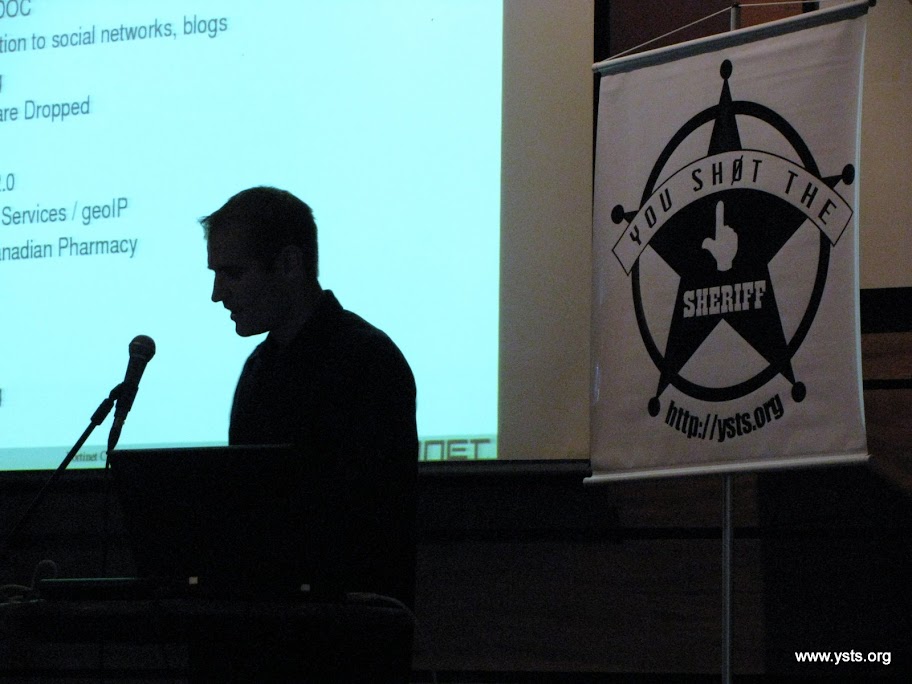
YSTS 3, um sucesso !


YSTS 3 acabou (alias, ja fazem 10 dias, mas só agora arrumei tempo pra postar). Foi muito bom e tivemos muitos feedbacks positivos. Alguns negativos, afinal, cometemos erros tambem. O mais notório sem dúvida é em relação ao barulho das pessoas conversando depois do início do Open Bar. Algo a ser resolvido na edição 4.
Por hora, vejam as fotos:
Set 1 - Set 2 - Set 3 - Set 4 - Set 5 - Set 6